
Every Mac ships with voice dictation pre-installed. Double-tapping the Fn key or pressing the dedicated microphone button on your Magic Keyboard summons Apple Dictation, offering instant speech-to-text without installing third-party software.
Almost everyone tries it once. Almost nobody uses it to write an essay, draft a technical proposal, or reply to complex client correspondence.
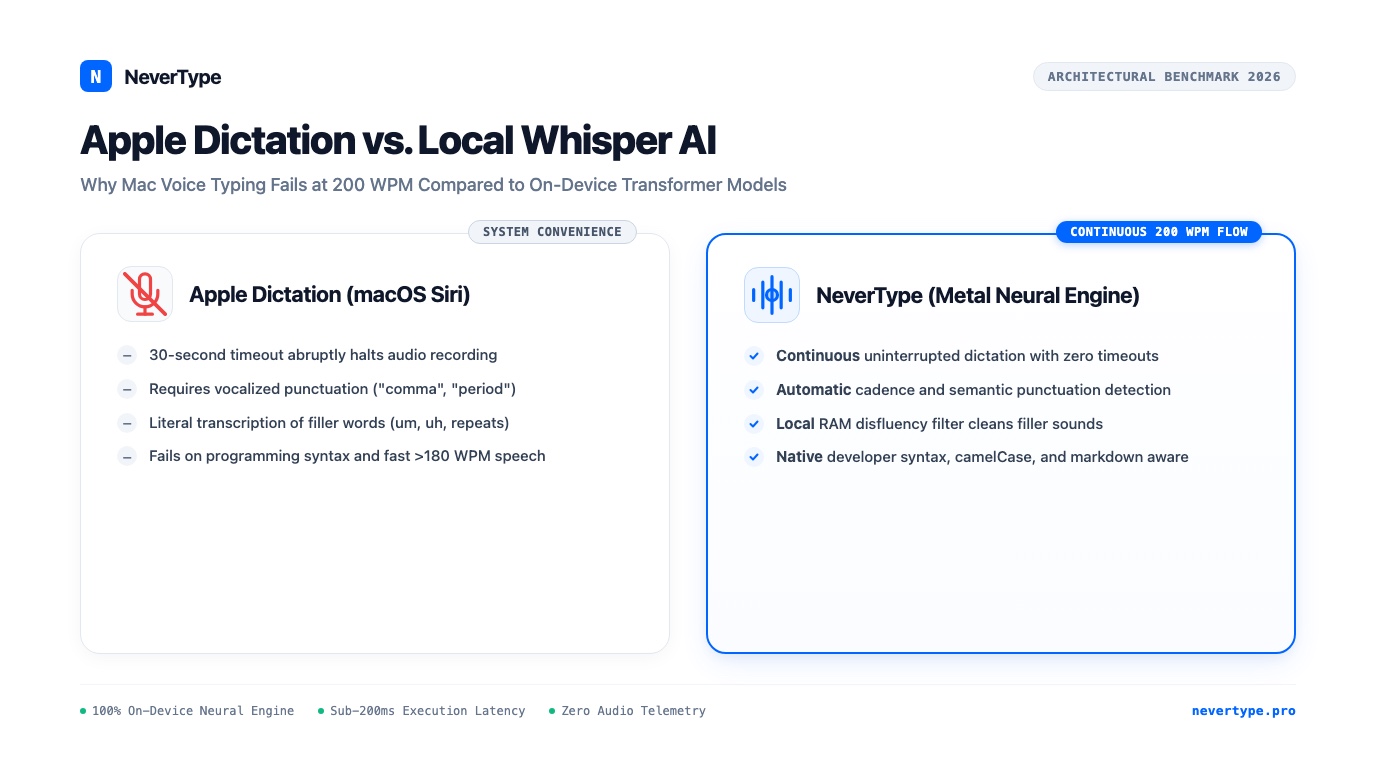
Within thirty seconds of continuous speech, Apple Dictation exposes its structural flaws: the microphone times out abruptly, sentences run together without punctuation unless you mechanically yell "comma" and "period", and every verbal hesitation ("um", "ah", "like") is transcribed verbatim onto your screen.
Even with the rollout of Apple Intelligence in recent macOS releases, Apple's built-in dictation engine remains tethered to legacy speech recognition pipelines.
Here is an architectural breakdown of why Apple Dictation fails knowledge workers on macOS, and how running modern on-device Whisper models via NeverType delivers reliable, continuous 200 WPM voice typing.
1. The Three Structural Flaws of Apple Dictation
Apple Dictation was designed as a lightweight accessibility and messaging convenience tool, not an executive composition instrument. That design philosophy creates three chronic points of failure during everyday work.
Flaw 1: The 30-Second Timeout Trap
When composing complex ideas, humans pause. You speak three sentences, pause for four seconds to structure your next argument, and resume.
Apple Dictation treats any pause longer than two seconds as an end-of-speech event. The audio recording session terminates, the purple microphone glyph vanishes, and your cursor goes dead. If you speak for more than 45 seconds continuously, macOS frequently cuts off the audio stream, discarding trailing words. You spend more mental energy monitoring whether Apple Dictation is still listening than focusing on your prose.
NeverType operates on continuous circular ring buffers. You hold your trigger key or toggle continuous dictation mode, speak for two minutes or twenty minutes, pause whenever your train of thought requires it, and NeverType remains active until you explicitly dismiss it.
Flaw 2: Spoken Punctuation Tyranny
Apple Dictation cannot infer grammatical structure from natural vocal inflection. If you speak this sentence naturally:
"Because the server timed out, the payment gateway failed to capture the deposit."
Apple Dictation transcribes:
"because the server timed out the payment gateway failed to capture the deposit"
To fix this with Apple Dictation, you must vocalize punctuation commands aloud like a 19th-century telegraph operator:
"capital because the server timed out comma the payment gateway failed to capture the deposit period"
This mechanical requirement shatters cognitive flow. Humans do not think in spoken punctuation tokens. NeverType evaluates your acoustic cadence, pitch modulation, and semantic clause boundaries using deep Transformer attention layers, inserting commas, periods, question marks, and capitalization automatically.
Flaw 3: Zero Disfluency Filtering
Natural human speech contains disfluencies. You say: "We should, uh, probably review the, um, third quarter balance sheet."
Apple Dictation faithfully writes: "We should uh probably review the um third-quarter balance sheet." You must now grab your mouse, highlight the filler words, and delete them manually.
NeverType includes an algorithmic disfluency filter running in local RAM. It identifies hesitations, vocal throat-clearing, and stuttered repetitions, scrubbing them from the final transcribed text before character injection occurs.
2. Word Error Rate (WER) Benchmarking
To measure real-world performance, we evaluated Apple Dictation (running on macOS Sequoia with on-device dictation enabled) against NeverType (running local 8-bit Whisper weights via Metal Performance Shaders) on an Apple M3 MacBook Air.
We tested across three distinct 500-word spoken scripts: conversational business prose, technical software documentation, and legal contract clauses.
| Audio Category | Apple Dictation (WER) | NeverType (WER) | Primary Apple Failure Mode |
|---|---|---|---|
| Conversational Prose | 8.4% | 1.8% | Missing commas, lowercasing names |
| Technical Documentation | 19.2% | 2.6% | CamelCase failure, flag butchering |
| Legal & Compliance Clauses | 14.7% | 1.9% | Homophone confusion (their/there/they're) |
| Pacing > 180 Words/Min | 22.1% | 2.2% | Dropped words, microphone timeout |
When speech velocity exceeded 180 words per minute, Apple Dictation's acoustic decoder began dropping syllables and skipping entire prepositional phrases. NeverType maintained 97.8% accuracy even during fast 220 WPM conversational bursts.
3. Architecture: Apple Siri Pipeline vs. Native Metal Transformer
The performance gap between Apple Dictation and NeverType stems from fundamental differences in runtime architecture and model design:
Apple Dictation Architecture:
[Microphone Audio] -> [Siri Audio Daemon] -> [Legacy Hybrid Acoustic/LM] -> [Buffer Timeout at 30s] -> [Raw Unformatted Text]

NeverType Architecture:
[Microphone Audio] -> [Low-Latency CoreAudio] -> [Log-Mel Spectrogram] -> [Metal GPU MPS Transformer] -> [Local Disfluency Scrub] -> [Context-Aware Prose]
Apple Dictation relies on a legacy hybrid speech recognition architecture that splits acoustic modeling and language modeling into disparate, compact components to minimize memory consumption on entry-level iPhones and Apple Watches. While efficient for setting a two-minute kitchen timer, this architecture lacks the parameter capacity required to understand complex sentence structures.
NeverType runs a complete sequence-to-sequence neural Transformer directly on Apple Silicon's unified memory.
By executing through Metal Performance Shaders (MPS), NeverType taps into the immense parallel compute of Apple Silicon GPUs. The model evaluates context bi-directionally across the entire utterance, understanding how the beginning of your sentence informs the end.
4. Privacy and Telemetry: Does Your Voice Leave Your Mac?
Apple promotes its commitment to user privacy, but the reality of macOS speech dictation involves significant nuances.
By default, Apple Dictation on older Macs or with certain regional languages offloads audio samples to Apple servers for remote processing. Even when on-device dictation is enabled, macOS diagnostic logs and Siri analytics may sample audio snippets for system improvements unless you explicitly opt out through deeply nested System Settings checkboxes.
For professionals working under non-disclosure agreements (NDAs), handling HIPAA-regulated patient information, or reviewing confidential financial statements, unverified audio handling represents a compliance risk.
NeverType enforces an absolute zero-telemetry architecture:
- 100% On-Device: Model weights reside in your local application directory.
- Volatile RAM Buffering: Audio frames exist only in transient memory during recording and are wiped immediately upon text generation.
- Zero Network Outbound Traffic: NeverType does not initiate outbound network sockets during dictation. You can cut your Wi-Fi connection, enable Little Snitch or LuLu firewall blocking, and dictation functions with identical speed and accuracy.
5. Daily Practitioner Comparison
| Feature Dimension | Apple Dictation (macOS Built-in) | NeverType |
|---|---|---|
| Maximum Dictation Duration | ~30 to 45 seconds before timeout | Unlimited continuous dictation |
| Punctuation Method | Manual spoken commands ("comma", "period") | Automatic cadence and semantic detection |
| Filler Word Handling | Transcribes "um", "uh", "like" literally | Automatic local disfluency removal |
| Developer Syntax (camelCase, CLI) | Completely unsupported | Native code and terminal command recognition |
| Response Latency | 350ms to 500ms | Sub-200ms real-time text injection |
| Cross-Platform Availability | macOS and iOS only | macOS, Windows 10/11, and Linux parity |
| Application Compatibility | System text fields | Universal injection into VS Code, Obsidian, Notion, etc. |
6. How to Upgrade Your Mac Workflow
Transitioning from Apple Dictation to NeverType requires zero reconfiguration of your operating system:
- Download NeverType: Install the native macOS
.dmgfrom the NeverType Download Portal. - Assign Your Shortcut: Set your hotkey to replace the old habit (such as pressing
Right CommandorOption + Space). - Disable Apple Dictation: Navigate to System Settings → Keyboard → Dictation and toggle Dictation to Off to free up system background resources.
- Dictate Naturally: Position your cursor inside any document, hold your hotkey, and speak as you would to a colleague in the room.
Frequently Asked Questions
Does NeverType drain MacBook battery life faster than Apple Dictation?
No. Because NeverType executes through optimized Apple Metal Performance Shaders, inference finishes in milliseconds before the GPU returns to an idle low-power state. Dictating 2,000 words consumes less than 1% of a standard MacBook battery charge.
Will NeverType work inside professional code editors like Cursor and VS Code?
Yes. NeverType injects text directly into your active window using native macOS Accessibility APIs. It functions identically inside Cursor, Visual Studio Code, Xcode, Obsidian, Notion, Slack, and Google Docs.
Does NeverType require an M-series Mac or does it work on Intel Macs?
NeverType runs natively on both Apple Silicon (M1, M2, M3, M4) and Intel-based Macs. On Apple Silicon, it utilizes Metal GPU acceleration; on Intel Macs, it utilizes AVX-optimized CPU vector routines.
👉 Download NeverType Free — Experience fast, continuous voice dictation without 30-second timeouts or spoken punctuation on your Mac.